
Pipedrive review: the add-ons are the real price
The per-seat price is refreshingly honest — published, flat, no usage meter. Then you look at what the add-ons cost, and the bill you actually pay is a different number.
The short verdict
Use Pipedrive if you want a sales CRM that does one job well and tells you honestly what it costs. $14 to $69 per seat, published, flat, no consumption meter. For a sales manager building a budget, that predictability is the product.
Before you commit, price the add-ons. This is the part that catches people. LeadBooster starts at $32.50 and Web Visitors at $41 — each of them more than the entire $14 Lite plan. Your real monthly cost depends far more on which add-ons you need than on which tier you choose.
Pick something else if you need a free plan, or if you want marketing, service and CRM in one system. Pipedrive is deliberately a CRM, not a platform.
14-day trial, no credit card, no commitment. You can change plans any time.
What Pipedrive is
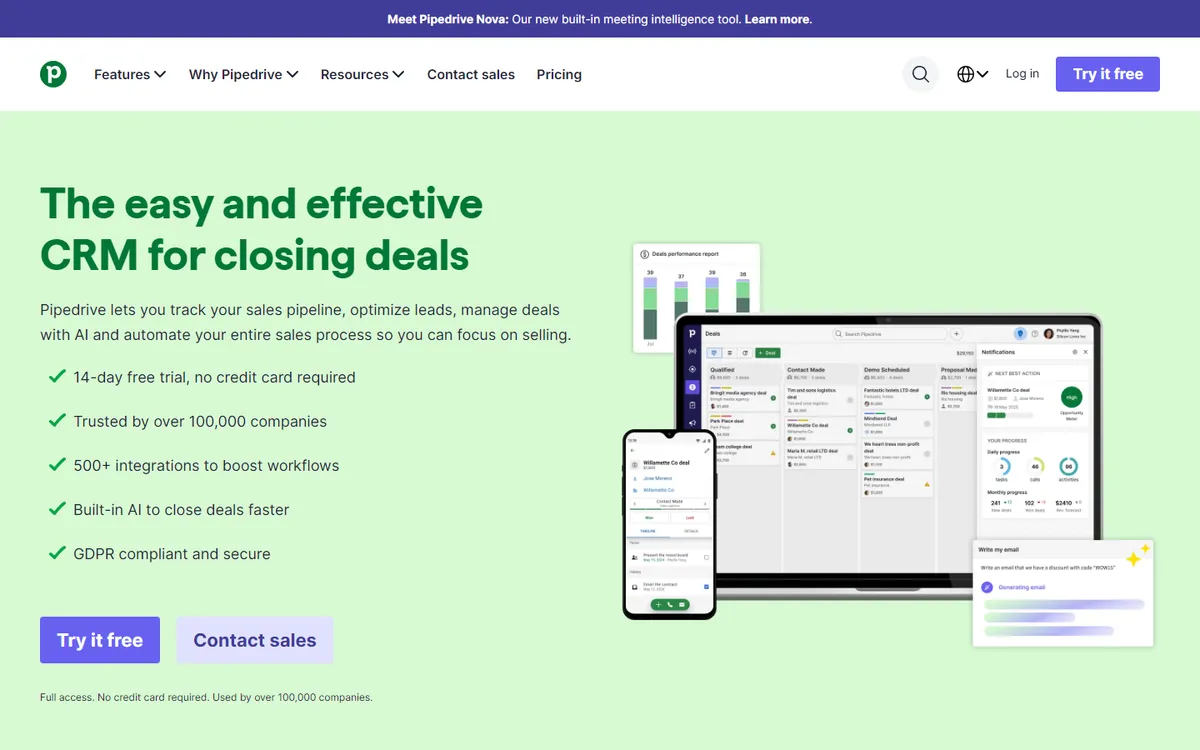
Pipedrive is a sales CRM — pipelines, deals, activities and follow-ups. It is not trying to be a marketing platform, a help desk or a website builder, and that restraint is the reason people choose it.
Its own marketing leans hard on this: not paying for features you won't use, not needing an IT degree, no surprises from hidden costs. The first two claims hold up well. The third deserves the scrutiny we give it below.
It syncs two-way with Google calendar and contacts from day one, has 500+ integrations, and is used by over 100,000 sales teams.
What the plans cost
Read from Pipedrive's pricing page on 16 September 2026, per seat, billed annually.
| Plan | Per seat / month | Per seat / year | Positioned for |
|---|---|---|---|
| Lite | $14 | $168 | Organising your sales in one workspace |
| Growth | $24 | $288 | Automating emails and follow-ups |
| Premiummost popular | $49 | $588 | Full-cycle sales tools |
| Ultimate | $69 | $828 | Complete suite |
Annual billing saves up to 26% against monthly. 14-day free trial, no credit card required. Prices exclude VAT, which is billed to EU customers at their local rate unless a valid VAT number is provided.
Credit where due: this is a clean pricing page. Four tiers, published numbers, no "contact sales" wall, no per-contact meter that surprises you in month seven. Compared with what we found at Xero and QuickBooks, where both advertised prices turned out to be promotional, Pipedrive's headline number is the number.
The add-ons — read this before buying
Here is what the tier table doesn't show you, and it is the single most useful thing on this page.
Five of Pipedrive's capabilities are sold as separate paid add-ons, on top of your per-seat price:
| Add-on | Starting price | What it does | vs the $14 Lite plan |
|---|---|---|---|
| Web Visitors | $41 | See who's browsing your site | 2.9× the Lite plan |
| LeadBooster | $32.50 | Capture more leads | 2.3× the Lite plan |
| Smart Docs | $32.50 | Document management | 2.3× the Lite plan |
| Projects | $16 | Deliver projects | More than Lite |
| Campaigns | $13.33 | Email marketing | Roughly Lite again |
"Starting from" prices as listed on Pipedrive's own pricing page, 16 September 2026. We did not establish how each add-on scales with seats — check that for your team size before committing.
Work through what this means. A three-person sales team on Lite pays $42/month for seats. Add LeadBooster to capture leads and Campaigns to email them, and you're at roughly $88/month — the add-ons now cost more than the software.
Is that dishonest? No. Pipedrive publishes these prices openly and you only pay for what you add — which is genuinely better than bundling everything and charging everyone. But "no hidden costs" is doing some work in their marketing, because the cost of a complete setup is nowhere near the headline $14.
What to do about it: during the 14-day trial, write down every add-on you actually switched on. That total, plus seats, is your real price. Compare that against alternatives — not the $14.
Switch on only the add-ons you'd genuinely use, then read the total. That number is what to compare — and the trial costs nothing to find it out.
What you actually get
The tier names tell you little, so here is what the product does, and where each capability sits.
Pipeline and deal management
The core of the product and the reason it exists. Deals move through visual stages you define, and the interface is built around dragging a deal forward rather than filling in a form. This is what Pipedrive is genuinely good at, and it's available from Lite ($14) — you don't need to upgrade to get the thing you came for.
Email and calendar sync
Two-way sync with Google and Microsoft from day one, which Pipedrive rightly treats as table stakes rather than a premium feature. In practice this is what makes a CRM stick: if logging an email is manual, nobody logs it.
Automation
Automated emails and follow-ups arrive at Growth ($24). If your process is "after a demo, wait two days, send this", that's the tier you need. Lite is for teams that want visibility, not automation — worth knowing before you buy the cheapest plan and find it doesn't do the job.
Reporting and forecasting
Full-cycle sales tools and deeper reporting sit at Premium ($49), which is the tier Pipedrive marks as most popular. That label is a signal worth reading: it suggests most buyers end up at $49, not $14.
Lead capture, visitor tracking and documents
These are not in any tier — they are the paid add-ons covered above. It's the single most important structural fact about Pipedrive's pricing, and the reason the section above exists.
Integrations
500+ apps. Relevant because Pipedrive deliberately doesn't try to be your email marketing platform or project tool — it expects to connect to them. If your stack is already chosen, check your two or three critical tools are on that list before committing.
What we could not assess: how the interface feels after months of daily use, how reliable the automation is at volume, and what support responds like when something breaks. Those need a live account over time — see the testing-depth note at the top.
Pros and cons
Pipedrive
Best for teams that want a CRM, not a platform- Flat, published per-seat pricing — no usage meter, no surprises on the base
- Four tiers with a sane $14 → $69 ladder
- 14-day trial, no credit card
- Focused on the sales pipeline and good at it
- Two-way calendar and contact sync from day one
- 500+ integrations
- Up to 26% off with annual billing
- Add-ons cost more than the entry plan — Web Visitors $41, LeadBooster $32.50
- Email marketing (Campaigns) is an add-on, not included
- No free plan — only a 14-day trial
- Prices exclude VAT; EU buyers pay more than listed
- Wrong tool if you want marketing + service + CRM unified
- "No hidden costs" overstates it once add-ons enter the picture
Who should and shouldn't use it
Strong choice for
- Small sales teams that want predictable budgets. Ten people on Premium is $5,880/year and will still be that next year. No consumption meter.
- Teams tired of over-engineered CRMs. Pipedrive is opinionated about how selling works and doesn't ask you to configure a platform first.
- Anyone who needs pipeline visibility fast. Calendar and contact sync work from day one.
Look elsewhere if
- You need a free plan. HubSpot's free CRM covers two users permanently.
- Email marketing is central to your business. Campaigns as an add-on is fine for follow-ups; for real email marketing, a dedicated platform does more for less.
- You want one system for everything. That's explicitly not what Pipedrive is trying to be.
Questions we get asked
Is Pipedrive worth it at $14 a seat?
For a small team that just needs pipeline discipline, yes — it's among the cheapest credible sales CRMs and the price is honest. The question isn't whether $14 is worth it; it's whether $14 is what you'll actually pay. Price your add-ons during the trial.
Pipedrive or HubSpot?
Pipedrive if you want a CRM with a predictable bill. HubSpot if you want a platform, or if you're two people and need free. We worked the comparison through in detail in Pipedrive vs HubSpot.
Can I use Pipedrive without any add-ons?
Yes, and plenty of teams do. The core CRM — pipelines, deals, activities, contact and calendar sync — is in the base plans. The add-ons are for lead capture, site visitor tracking, documents, projects and email campaigns. If you already have tools for those, skip them and the $14 stands.
You earn a commission. Why should I trust this review?
Because the most prominent section of this page is the one that tells you Pipedrive costs more than advertised. That's the opposite of what a commission would incentivise.
The wider check: in our email roundup we rank Ghost and Substack, which pay us nothing, at 3rd and 5th. And in Pipedrive vs HubSpot we send you to HubSpot in two scenarios, where we earn zero.
The verdict
Pipedrive is a good CRM with genuinely honest tier pricing and a marketing line about "no hidden costs" that doesn't survive contact with its add-on menu. Both things are true and you should hold both.
If you want a sales pipeline and nothing else, start on Lite at $14 and you'll get exactly what you paid for. If you need lead capture, visitor tracking or documents, budget realistically: those three add-ons alone can triple your bill.
Use the 14-day trial for the thing trials are actually for — not to see if you like the interface, but to find out which add-ons you can't live without. That number, not the $14, is the one to compare against everything else.
Pricing read directly from pipedrive.com on 16 September 2026, per seat with annual billing, in USD excluding VAT. Add-on prices are the "starting from" figures on the same page; we did not establish how they scale with seat count. Under our methodology this is at the "researched, not tested" level. Found something out of date? Tell us.